
How to use IPCloud.io + Dolphin Anty for stable multi-accounting?
Creating new digital identities is not difficult — you need proxies and an antidetect browser. However, you also need to understand the basic rules and capabilities of an antidetect browser. This knowledge will help you create digital identities properly and minimize restrictions and bans.
How to use IP Cloud.io + Dolphin Anty for stable multi-accounting?
Creating new digital identities is not difficult — you need proxies and an antidetect browser. However, you also need to understand the basic rules and capabilities of an antidetect browser. This knowledge will help you create digital identities properly and minimize restrictions and bans. Below — is the foundation for working with the system.
What is a digital profile, fingerprint (FP), and an antidetect browser?
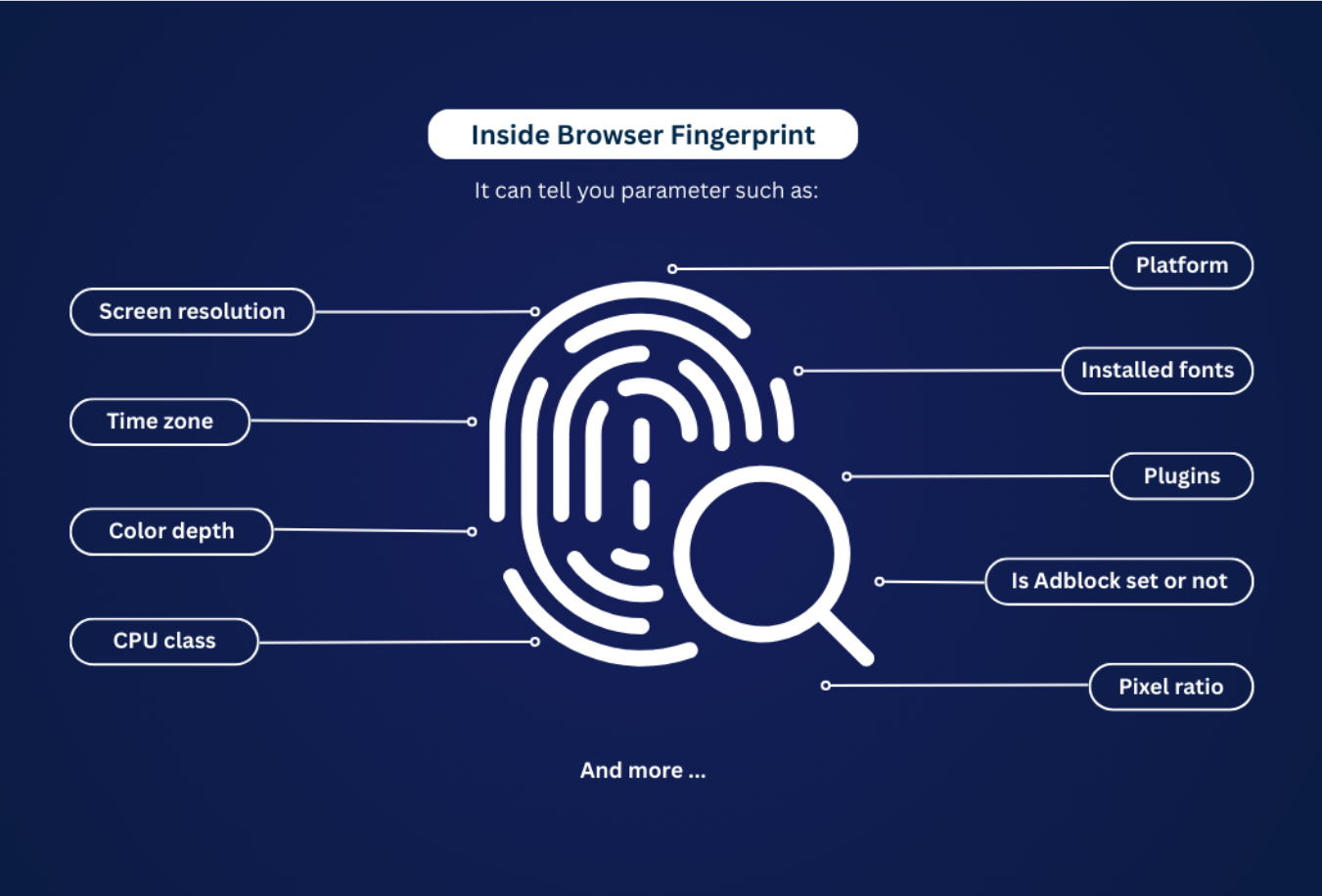
A digital profile is the working environment through which you operate on a website. It includes your browser, operating system, and hardware. A fingerprint (FP) is the set of data that makes up your digital profile.
Websites identify users precisely by their fingerprint. Even if you access a site through a proxy or VPN, the platform will still recognize you based on the combination of your other characteristics.
An antidetect browser replaces part of these parameters (for example, user agent, fonts, CPU parameters), so the fingerprint appears to belong to a different person. Here’s how it works:
- You create a browser (digital) profile, or BP, inside the antidetect browser;
- You manually configure the fingerprint parameters, or the system selects them automatically — these are the parameters websites will see;
- Voilà! A new digital identity is created.
You can now open a new account within this profile while appearing as a completely different user. You can create dozens, hundreds, or even thousands of such profiles — each of them appears to websites as a separate new user.
Profiles are displayed in a list in the antidetect browser. When you launch a BP, it opens like a regular browser. Inside this browser, you work — creating and managing accounts, running ads, and performing other tasks.
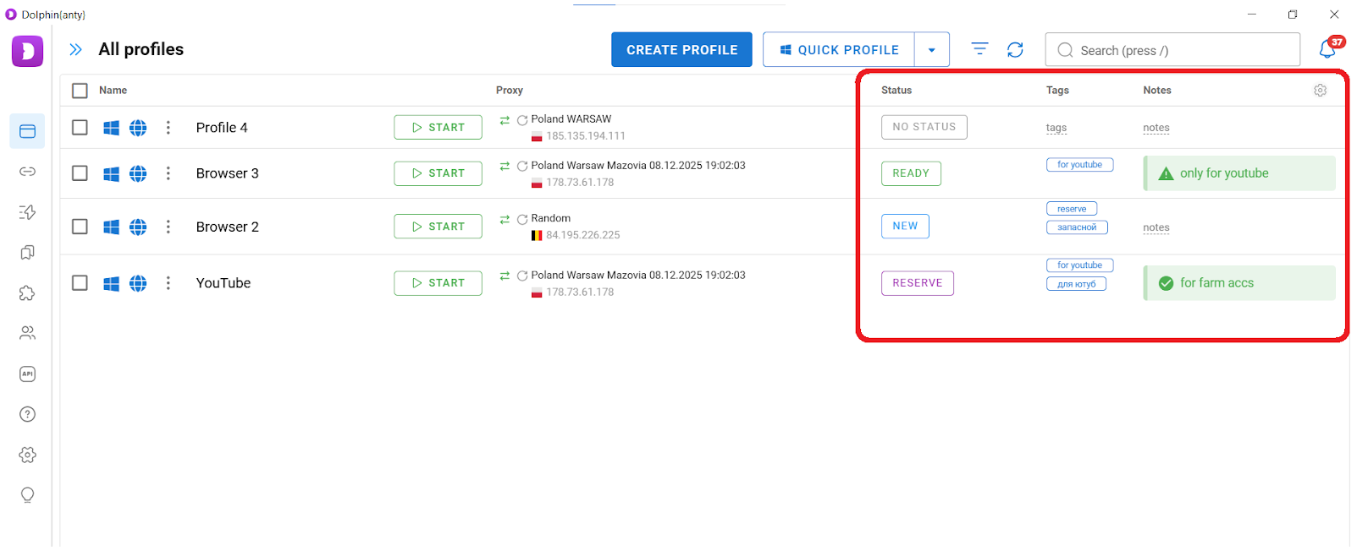
 You can see four different profiles on this screenshot. Each of them
simulates a separate user (three from Poland and one from Belgium).
You can see four different profiles on this screenshot. Each of them
simulates a separate user (three from Poland and one from Belgium).
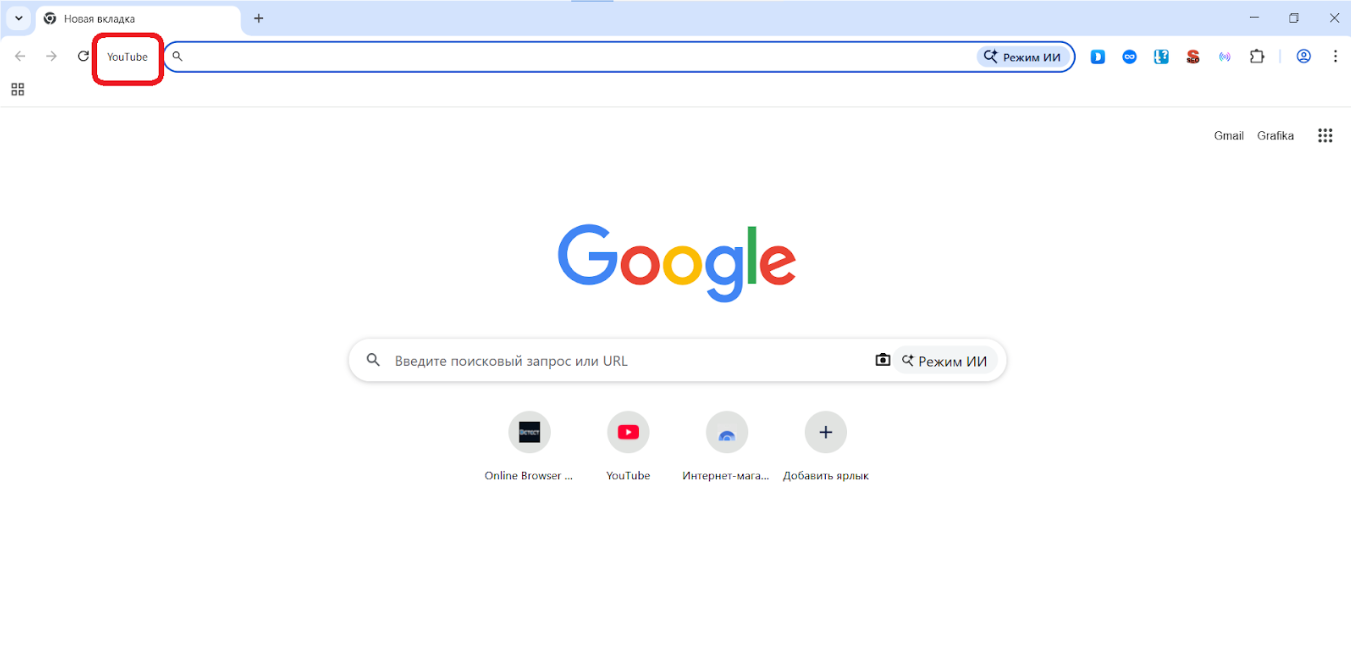
At first glance, it may look like a regular Google Chrome window — until you notice the browser profile name displayed to the left of the address bar.
Overview of Dolphin Anty: key advantages for multi-accounting
Multi-accounting is about operating at scale. That’s why any antidetect browser must reduce routine work and make it easier to scale critical operations.
Another important point: multi-accounting is typically used by marketers, affiliates, e-commerce sellers, crypto users and traders, as well as reputation management specialists. An antidetect browser should include features that meet the needs of these professionals.
Workspace and profile management
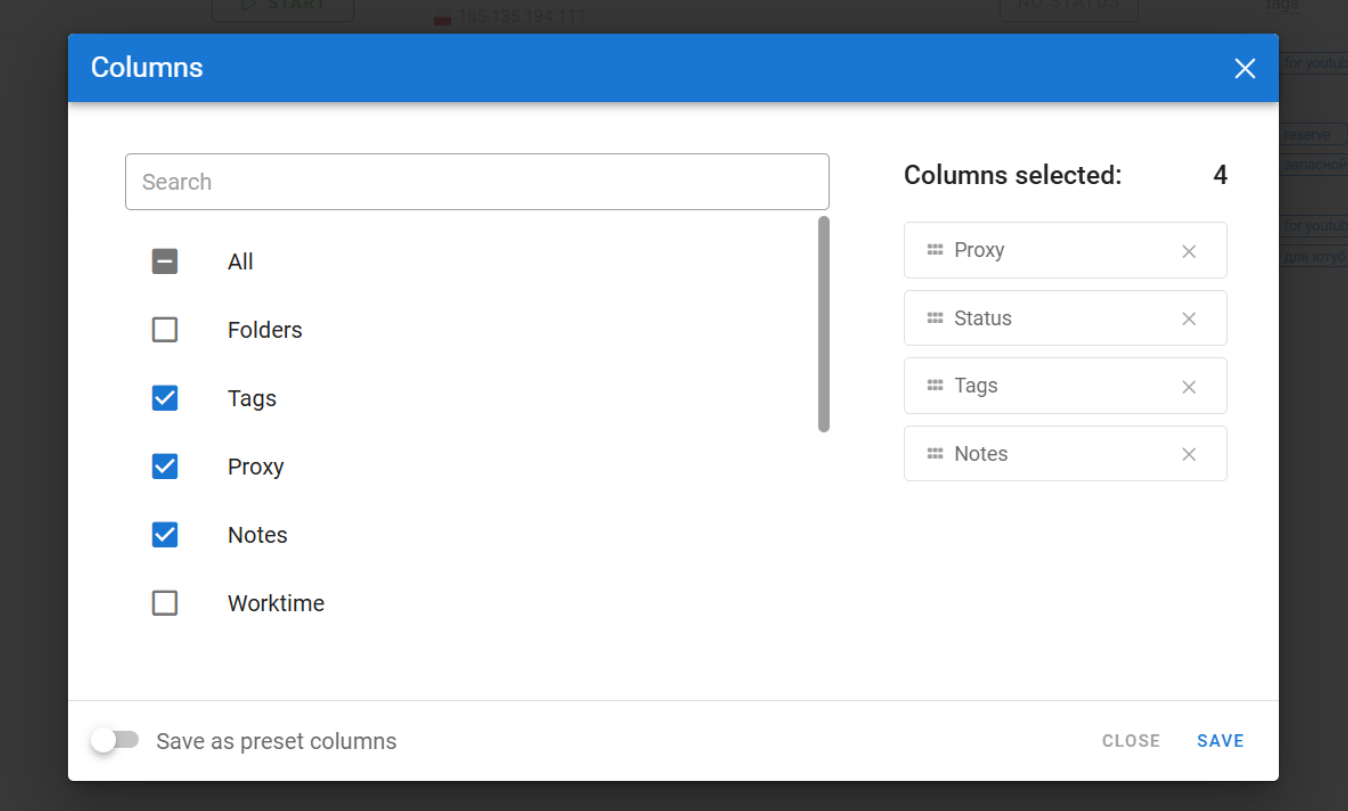
Most of the work in Dolphin Anty is done through the profile list. Since the list can contain many browsers, visual navigation tools are provided — tags, statuses, and notes.
The columns in the list can be added, removed, and rearranged. This is done through the settings menu (the gear icon in the top right corner).
You can also resize the columns by dragging their edges with the cursor.
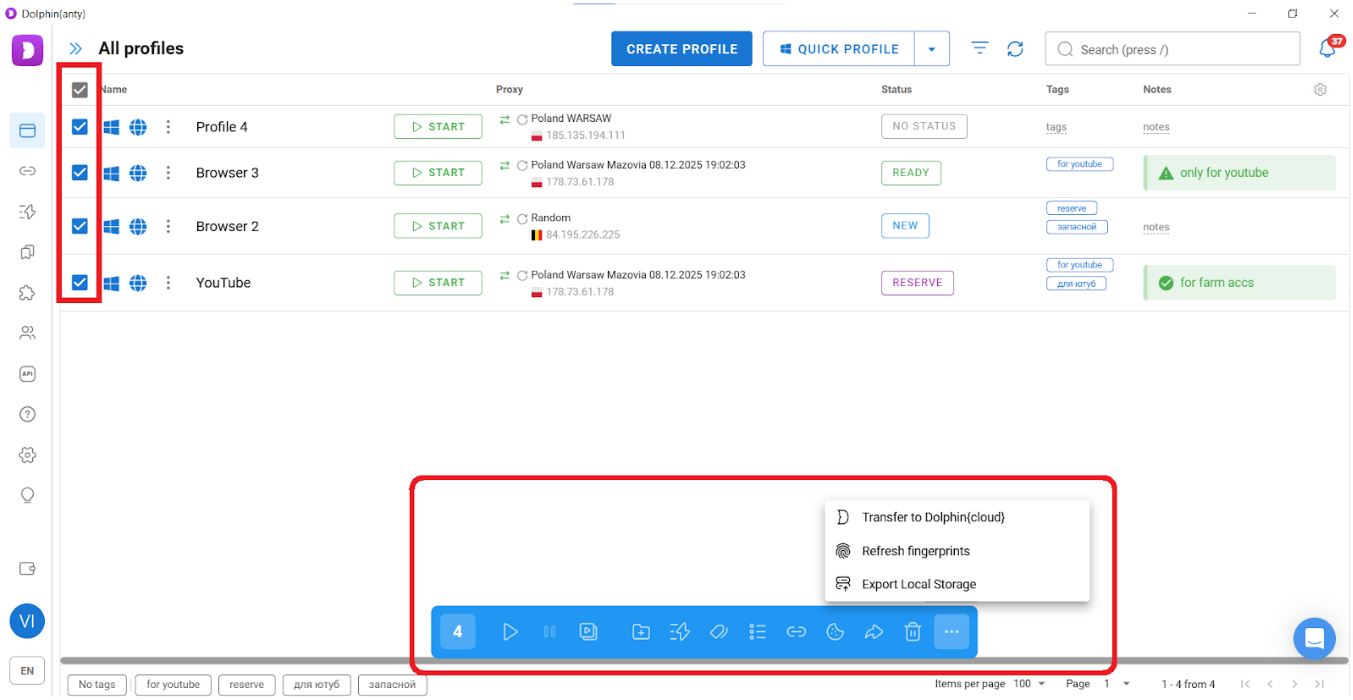
Bulk actions
In Dolphin Anty, you can select the required browsers and perform the following actions with them:
- Add or replace proxies;
- Change tags and statuses for navigation;
- Transfer them to other users;
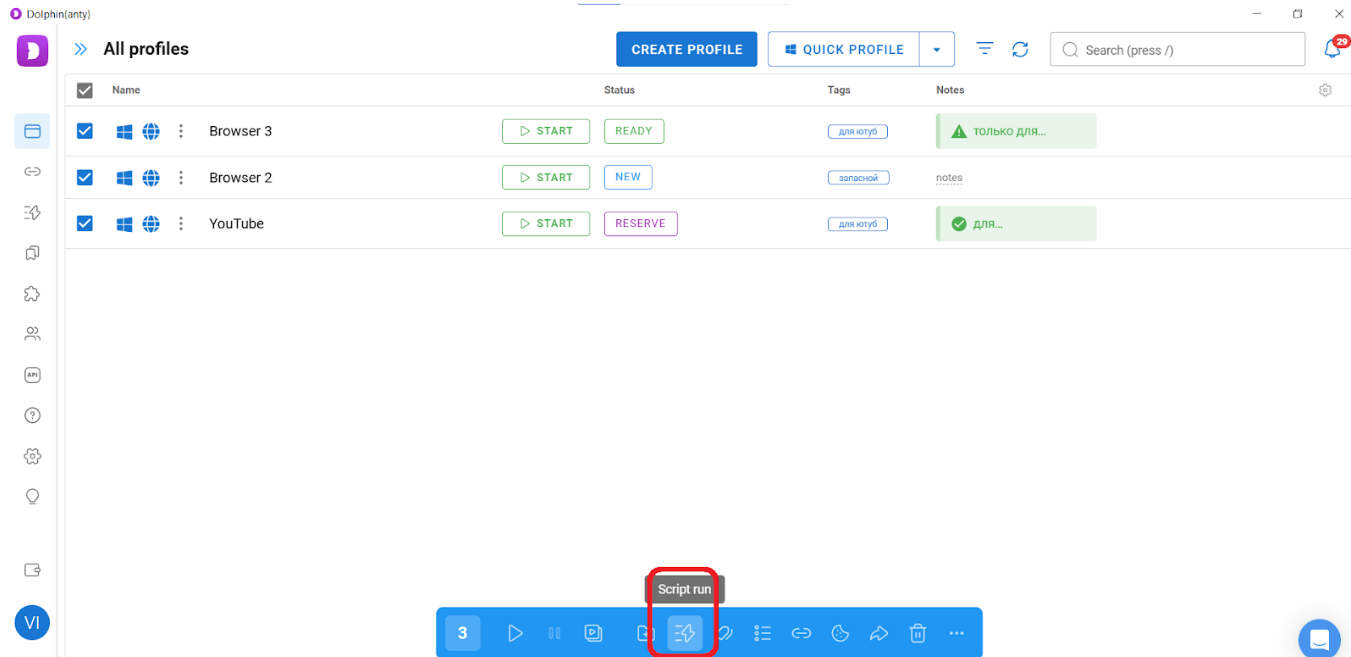
- Update the fingerprint;
- Export them to local storage on your device;
- Launch, stop, or delete them.
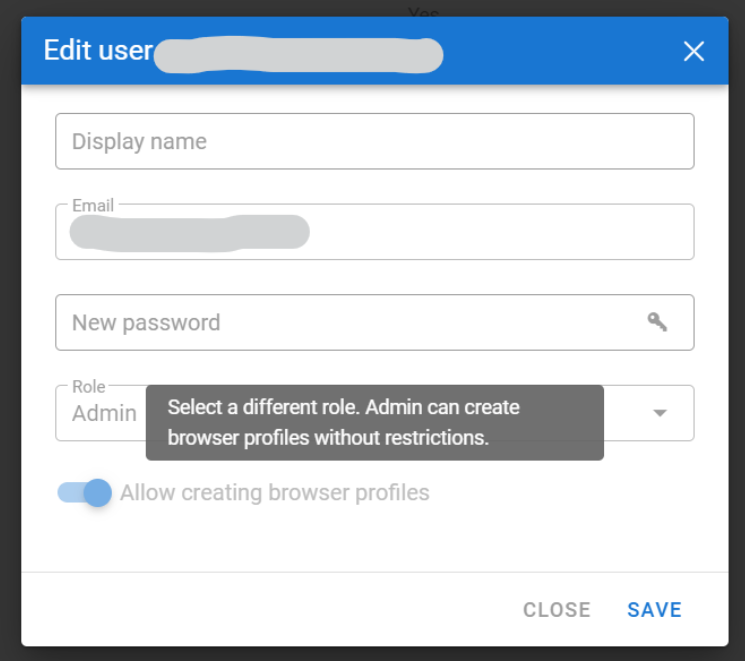
All of these actions can be performed simultaneously on any number of BPs.
Instant actions
Some multi-accounting operations normally take a long time — warming up cookie files, replacing a fingerprint, or creating multiple identical browser profiles. However, Dolphin Anty includes features that allow you to complete these tasks in just 1–2 minutes.
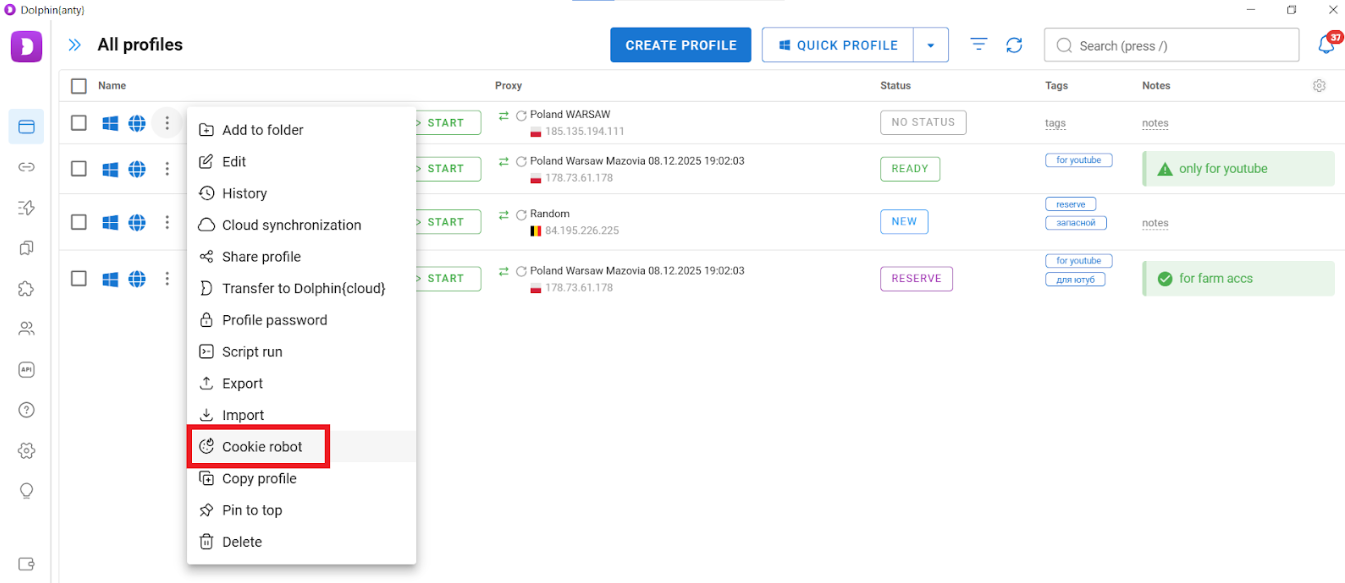
Cookie robot. Activate the feature → paste a list of URLs → start collecting cookie files. If you’ve just created a browser, the robot will “build its history,” making your digital profile more trustworthy to websites. Browsers without cookies look suspicious. Manually warming up cookies can take several days.
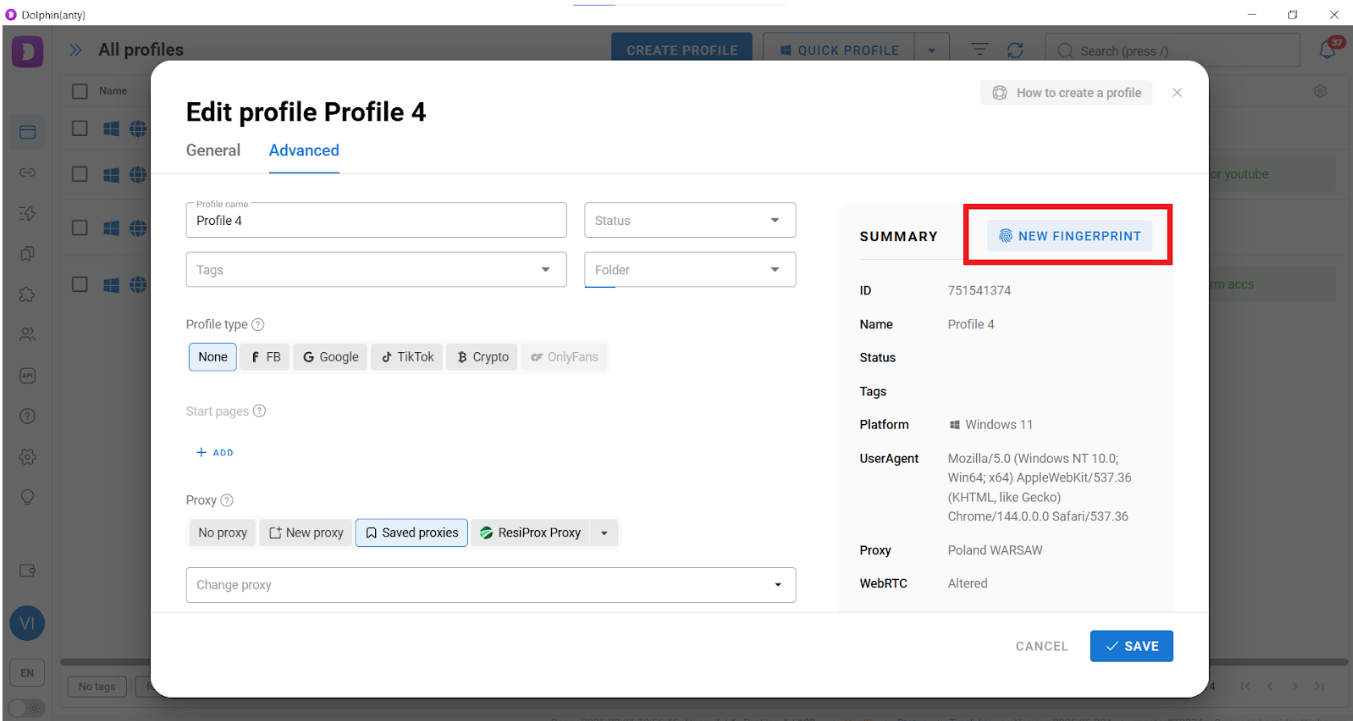
Fingerprint alteration. If you need a refreshed browser environment, it’s easier to replace the fingerprint and proxy than to create a new BP from scratch. The “update fingerprint” function allows you to do this. When used, the browser’s FP changes while everything else remains the same — proxy, cookies, plugins, bookmarks, saved passwords, and browsing history.
You can change the FP in one click, either for a single BP or for multiple profiles at once (via bulk actions).
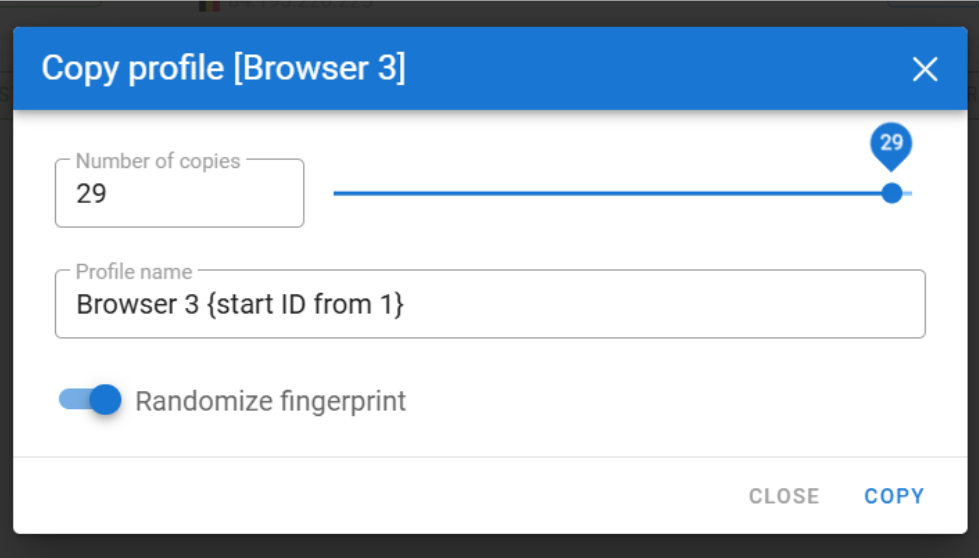
Browser duplication. In just a couple of clicks, you can create multiple copies of a browser profile — for example, 29.

Everything will be copied (proxy, plugins, bookmarks, cookies). But if you enable “Randomize fingerprint,” each profile will have a different fingerprint.
Automation
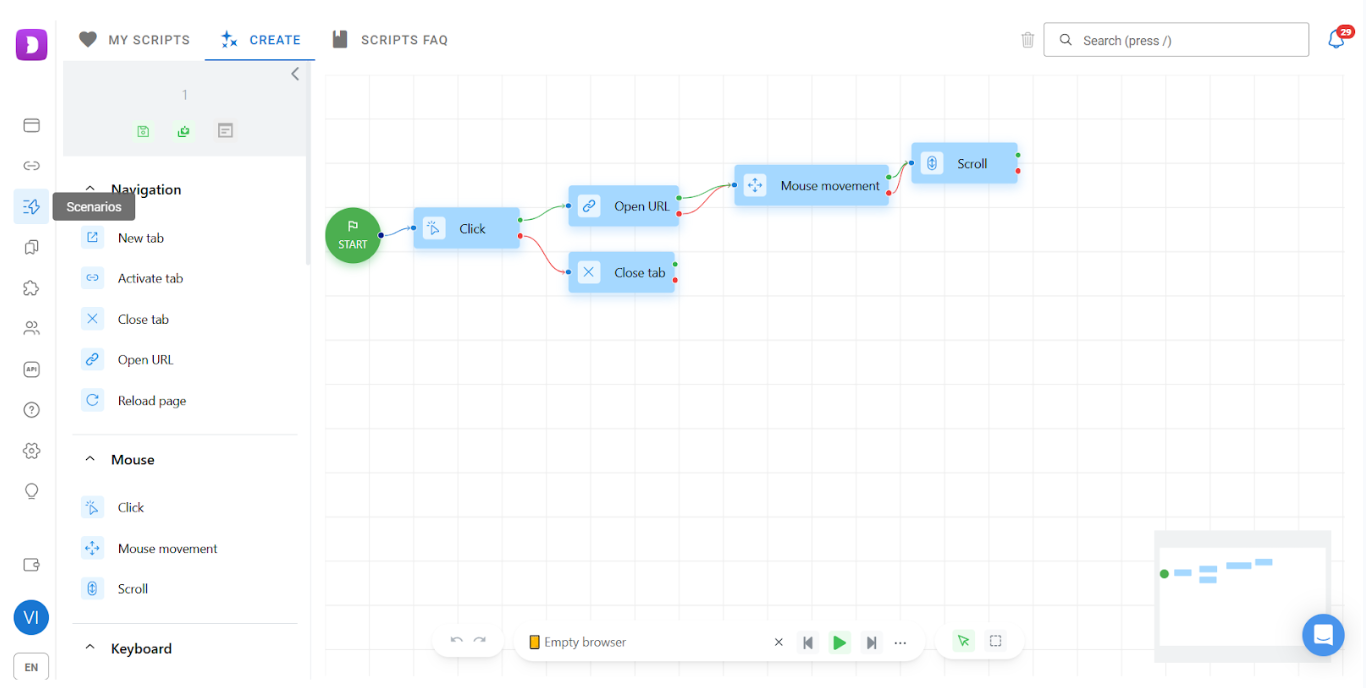
The main tool for automating routine tasks is scenarios. They allows you to “delegate” simple actions to the antidetect browser — data entry, likes, account visits, and similar tasks. These actions can be launched simultaneously across any number of browser profiles.
Scenarios work as follows: first, you build a script from a sequence of simple actions and save it. Then, you can run it in your browsers.

A scenario can be launched at any time and on any number of BPs simultaneously.
Teamwork
Multi-accounting is a large-scale activity and often requires multiple people. That’s why Dolphin Anty allows you to add team members and even assign roles with specific access restrictions.
You can also transfer browser profiles to other team members (which is much more secure than simply sharing account login credentials), as well as ready-made scenarios and bookmarks.
Integration with multitool of auto-upload (useful for affiliates and media buyers)
The developers of Dolphin Anty also created Dolphin Cloud — a multitool that allows you to launch ads simultaneously across multiple ad accounts. It also enables bulk creation of Facebook Fan Pages within ad accounts, ad randomization, and mass addition of payment methods.
To integrate Dolphin Anty with Dolphin Cloud, go to the antidetect settings section, copy the integration key, and add it to the corresponding section in the auto-upload service.
Most importantly: Dolphin Anty does not generate fingerprints from random parameters. The system uses fingerprints of real users. When you create a profile, Dolphin Anty selects a real fingerprint that best matches your antidetect browser proxies and chosen operating system.
Why do you need proxies for Dolphin Anty?
Any good antidetect browser masks your browser, operating system, hardware characteristics, as well as plugins and cookies. But to hide your IP address, you need proxies. How do you choose the right antidetect browser proxies?
If you want to access a website that is blocked in your country, use datacenter proxies. They are the most affordable and are best suited for bypassing regional restrictions.
If you are scraping ads, ISP proxies will work for you. Anti-fraud systems are unlikely to block you for ad scraping, and advanced proxy features are usually not required.
For working with multiple accounts, you need mobile and residential proxies with a wide selection of countries.
Mobile and residential proxies route traffic through real user devices (mobile and desktop, respectively). They are not typically blacklisted by websites, which makes them more trustworthy. That is why mobile and residential proxies are suitable for running ads, farming accounts, leaving reviews, listing products, and similar activities.
How to add IPCloud.io to Dolphin Anty?
First, download Dolphin Anty (you can register after installation) and purchase proxy ports from IPCloud. You can add proxies directly when creating a working profile, but it’s better to first go to the dedicated section with the list of ports and use the “Add Proxy” button. Note that if you add an incorrect or non-working proxy port, the status column will display “Error”.
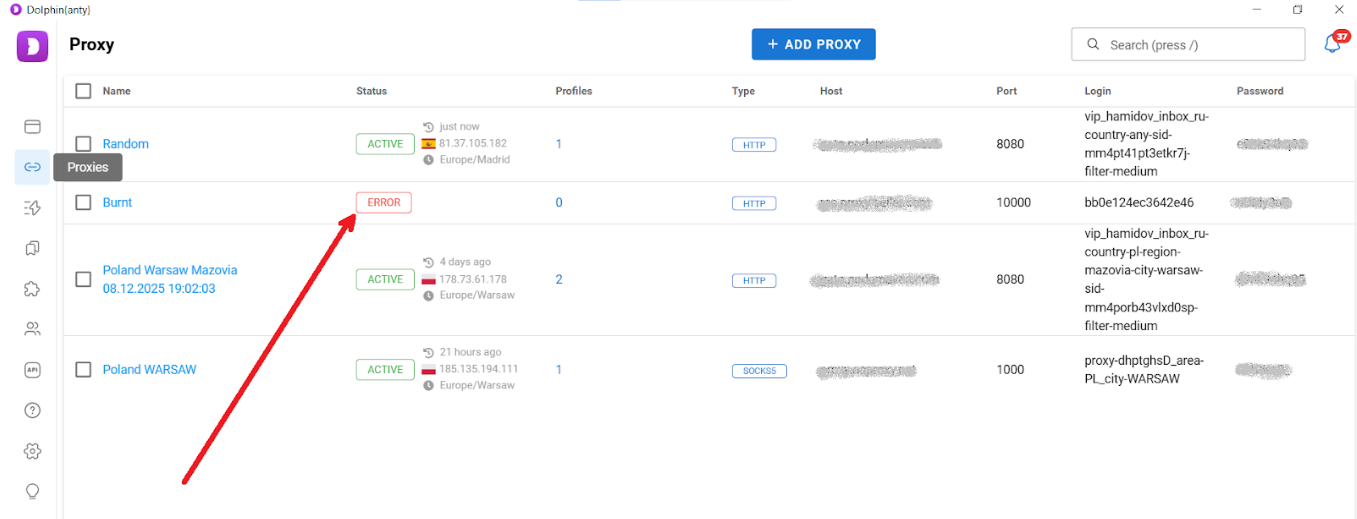
Next, go to your IPCloud dashboard and copy the port details exactly as they are. Then return to the antidetect browser and click “Add Proxy.” It’s best to choose the “Mass addition” tab so you can paste the proxy port details in one click.
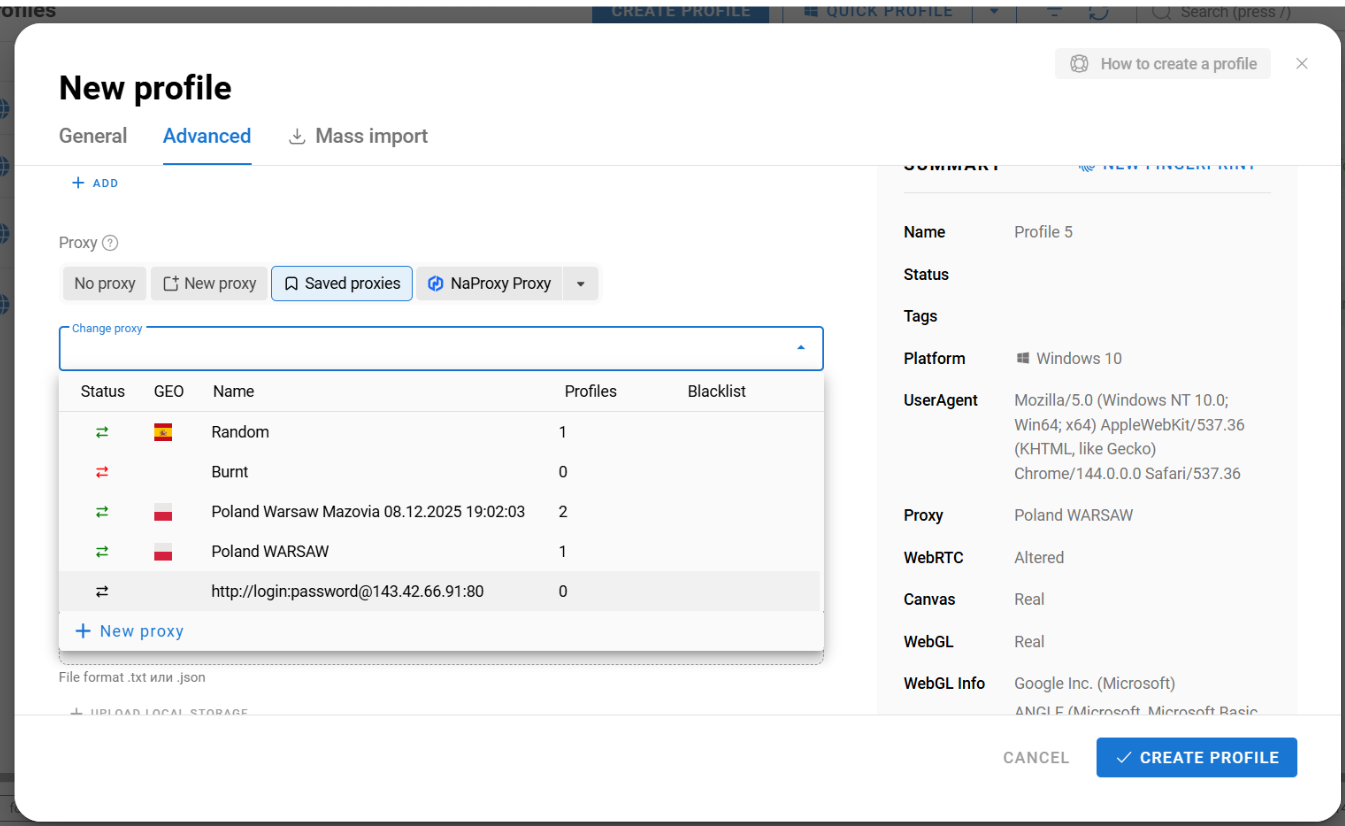
After adding the ports to the list, select them and check the connection. If everything is fine, you can assign them to browser profiles during creation or editing.
Best practices and mistakes to avoid
When integrating IPCloud.io with Dolphin Anty, certain rules should be followed.
1:1 ratio: use one proxy per browser profile. Otherwise, anti-fraud systems will detect the same IP address across multiple browsers. With IPCloud, you pay for traffic volume, not the number of ports, so there is no reason to reuse the same proxy multiple times.
Discard used proxies: if an account has been banned or restricted, do not create a new browser profile with the same proxy port. Use a new port to minimize the risk of further bans and restrictions.
Do not modify the fingerprint without proper knowledge: when creating a new browser, you can manually change certain fingerprint parameters (graphics card, WebGL, etc.). However, if you are not familiar with fingerprinting principles, it is better not to change anything. Dolphin Anty maintains a database of real user browser fingerprints and selects the most appropriate one based on your chosen OS and proxy.
Cookies must match the proxy country: when creating a browser profile, the antidetect browser will do everything possible to make you appear as a user from the proxy’s country. However, you must collect cookies yourself. If you use the cookie robot, choose links to regional websites popular in the country your proxy port is set to.
Be cautious with bookmarks and extensions: some of them may attract anti-fraud attention, as they are commonly used by affiliates, review manipulators, and others who practice multi-accounting. Unless absolutely necessary, try to avoid using such plugins.
Conclusion
Proper multi-accounting can be summarized in three simple but fundamental principles. First: do not manually change fingerprint parameters (the antidetect browser selects them automatically). Second: when choosing a proxy for a specific country, try to match other country-related parameters as well, such as cookies and payment methods. Third: anything that has received restrictions or bans should be discarded — cookies, proxies, fingerprints, payment methods, and so on.
If you don’t have much experience with multi-accounting, practice using the free Dolphin Anty plan (up to 5 browsers) and the IPCloud trial.
W